Speed Queen top-load washers are known for their durability, efficiency, and commercial-grade performance. However, like any modern appliance, they rely on built-in diagnostics to alert users when something is wrong. One of the most common alerts is the Speed Queen Er Sd error code, also called the Slow Drain Detection Error. This code appears when the washer takes longer than normal to drain water from the tub.
Slow draining is usually caused by blockages or weak pump performance, but ignoring it can lead to bigger issues such as pump failure, standing water, and mold growth. This guide explains what the Er, Sd error means, what causes it, how to troubleshoot it safely, and when to contact a professional.
What does the Speed Queen Er, Sd error code mean?
The Speed Queen slow drain error (Er, Sd) indicates that the washer’s control system detected water draining slower than the programmed time limit. During every wash cycle, the machine monitors drainage through the pressure switch, drain pump, and internal sensors. If the water level doesn’t drop quickly enough, the washer triggers the Er, Sd code as a protective measure.
Common causes of slow drain detection
- Clogged drain hose or pump filter
- Kinked, bent, or obstructed drain hose
- Foreign objects in the drain pump (coins, clothing fibers, small socks)
- Weak or failing drain pump
- Airlock inside the drain system
- Incorrect drain hose installation height (too high or too low)
While the Er, Dr code typically indicates no drainage at all, the Er, Sd code points to restricted or slowed water flow.
Common symptoms of slow drainage
Before the Speed Queen washer troubleshooting cycle displays the error, users may notice:
- Water draining more slowly than usual
- Standing water left in the tub
- Wet or damp clothes at the end of the cycle
- Gurgling, humming, or buzzing noises from the pump
- Water backing up through the hose
- The washer stopping mid-cycle with the Er, Sd error displayed
These signs help confirm that the washer is struggling to drain efficiently.
Step-by-step troubleshooting guide
The following steps address the most common causes of a Speed Queen Er Sd error code. These solutions are safe for beginners and can resolve many drainage problems.
Step 1: Disconnect power
Unplug the washer and turn off the water supply.
This protects you from electrical hazards while examining hoses and components.
Step 2: Check the drain hose
- Ensure the hose is not kinked, bent, or crushed
- Remove the hose and check for lint, coins, or debris
- Confirm the drain hose height is correct
- Speed Queen recommends keeping it under 96 inches
Incorrect hose placement can cause siphoning, backflow, or slow draining.
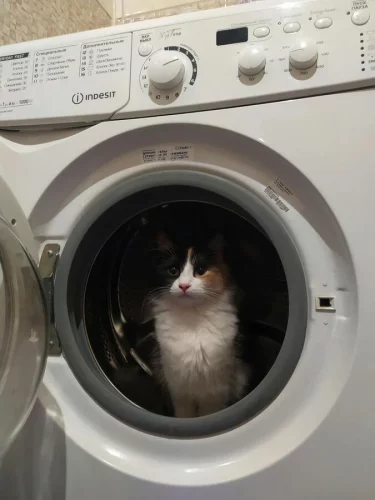
Step 3: Clean the pump filter
Most slow drain problems involve the pump filter.
- Remove the service panel
- Unscrew the pump filter cap
- Clear lint, coins, buttons, hair, and debris
- Securely reattach the filter
A clogged filter is the number-one reason for slow drains.
Step 4: Inspect the drain pump
Listen carefully when the washer attempts to drain:
- A humming sound without water movement suggests a jammed or failing pump
- A grinding or rattling sound may indicate broken internal components
If accessible, use a flashlight to check the pump for visible obstructions.
Step 5: Reset the error and test
After cleaning and inspecting:
- Plug the washer back in
- Restart a drain/spin cycle
- Check whether the drainage time improves
If the water flows freely, the system will automatically clear the error.
⚠️ Important:
If water remains in the tub or the error displays again, stop running cycles. Forcing the pump to operate under strain can cause motor burnout.
When to call a professional technician
While many slow drain issues are simple, you should contact a technician if:
- The Er, Sd error returns after cleaning the hose or filter
- The drain pump makes grinding or rattling noises
- There is water leakage near the pump or washer base
- Drainage remains slow even with a clear hose
- The washer stops mid-cycle repeatedly
- The control board does not respond to proper drainage
A trained Speed Queen technician can:
- Test the drain pump motor and electrical continuity
- Replace faulty or failing drain pumps
- Inspect and replace damaged hoses
- Diagnose pressure switch or wiring issues
- Reprogram or replace control board components
Professional diagnosis protects machine performance and maintains your warranty. Searching for Speed Queen repair near me ensures a qualified technician handles the problem safely.
Preventing the Er, Sd error in the future
Routine maintenance helps avoid repeat drainage problems. Follow these tips:
- Clean the pump filter monthly, especially in high-use environments
- Use high-efficiency (HE) detergent to reduce residue buildup
- Avoid overloading the washer, which increases lint and debris
- Keep the washer level to maintain proper drainage flow
- Inspect drain hoses every few months for mold, buildup, or kinks
- Schedule annual maintenance if the washer is used commercially or heavily
These steps improve drainage speed and extend the life of your Speed Queen washer.
Conclusion
The Speed Queen Er Sd error code indicates slow drainage caused by clogs, hose issues, or a weakening pump. Many cases can be fixed by cleaning the hose, filter, or pump area. However, recurring problems often signal deeper mechanical or electrical faults that require professional attention.
Addressing slow drain issues early ensures your washer runs efficiently, prevents pump failure, and protects your appliance investment.