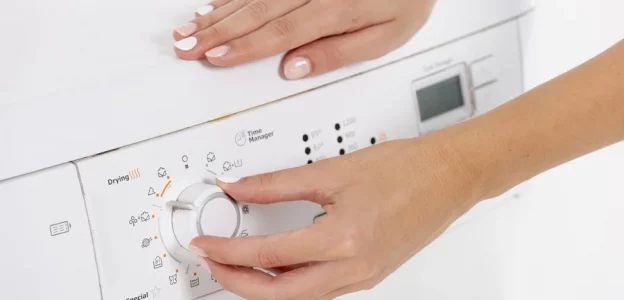
Modern Admiral washing machines are more than just mechanical drums—they are equipped with smart software and digital control systems. Just like your smartphone or laptop, these appliances occasionally need firmware updates to fix glitches, improve efficiency, or support new washing programs.
If your washer is flashing the W18 error code, it’s simply signaling that a software update is required before it can get back to work.
What Does the W18 Error Mean?
The W18 error code indicates that your washer’s onboard software is outdated, corrupted, or incomplete. When this happens, the machine locks certain functions to prevent errors during a wash.
Common signs of a W18 error:
The washer refuses to start any program.
The error code appears immediately after turning the machine on.
The wash cycle gets stuck or stays incomplete.
Why it happens: This alert is a safety feature. it ensures the washer doesn’t operate with faulty instructions that could damage the machine or affect performance.
3 Possible Causes of the W18 Error
Software Malfunction: Internal software can sometimes become corrupted due to electronic interference or age.
Compatibility Issues: If the hardware tries to run a new cycle setting that the old firmware doesn’t recognize, the W18 code is triggered.
Interrupted Updates: If a previous update was cut short by a power outage or Wi-Fi drop, the machine may stay locked until the process is successfully finished.
How to Fix the W18 Error (Step-by-Step)
1. Consult Your User Manual
Every model is slightly different. Your manual will have specific button combinations or steps required to trigger the firmware update mode safely.
2. Check Admiral’s Official Support Page
Visit the manufacturer’s website to see if there is a downloadable update file. Depending on your model, you might need:
A USB drive to plug into the service port.
A stable Wi-Fi connection for over-the-air (OTA) updates.
3. Ensure a Stable Power Supply
Always plug your washer directly into a grounded wall outlet. Avoid extension cords during an update. A sudden loss of power while “flashing” the software can lead to permanent control board failure.
4. Perform a Post-Update Restart
Once the update is 100% complete, power the machine off and back on. Run a quick “Rinse & Spin” test cycle to confirm the code has cleared.
When to Call a Professional
If the W18 error persists after you’ve attempted an update, or if the screen goes blank mid-process, it’s time to call a technician. A professional can:
Manually “flash” the firmware using specialized tools.
Repair or replace the electronic control board if the corruption is severe.
Ensure all mechanical components are correctly synced with the new software.
Final Thoughts
The W18 software update error is a minor digital hiccup common in modern appliances. By staying on top of digital firmware updates, you ensure your Admiral washer runs at peak performance for years to come.
Need help finding the specific manual for your model? Let me know the model number and I can help you track it down!